ae.lisz_app_data
lisz demo app data handling
this module provides common constants, functions and methods for the showcase/demo application Lisz, which is demonstrating the usage of the GUI framework packages provided by the ae namespace.
usage demonstration of ae namespace portions
the usage of the following ae namespace portions gets demonstrated by this application:
ae.base: basic constants and helper functionsae.files: file collection, grouping and cachingae.deep: deep data structure search and replaceae.i18n: internationalization / localization helpersae.paths: generic file path helpersae.dynamicod: evaluation and execution helper functionsae.updater: application environment updaterae.core: application core constants, helper functions and base classesae.literal: literal type detection and evaluationae.console: console application environmentae.gui: abstract base class for python applications with a graphical user interface with context help, app tours, app flow and app state changes
Hint
the Kivy variant of this demo app uses additionally the following ae namespace portions: ae.kivy_auto_width,
ae.kivy_dyn_chi, ae.kivy_relief_canvas, ae.kivy and ae.kivy_user_prefs.
features of the lisz demo app
internationalization of texts, user messages, help texts, button/label texts (
ae.i18n)easy mapping of files in complex folder structures (
ae.files,ae.paths)providing help layouts (
ae.gui.tours,ae.kivy.widgets)colors changeable by user (
ae.kivy_user_prefs,ae.enaml_app)font and button sizes are changeable by user (
ae.gui.utils)dark and light theme switchable by user
sound output support with sound volume configurable by user
recursive item data tree manipulation: add, edit and delete item
each item can be selected/check marked
filtering of selected/checked and unselected/unchecked items
an item represents either a sub-node (sub-list) or a leaf of the data tree
item order changeable via drag & drop
item can be moved to the parent or a sub-node
easy navigation within the item tree (up/down navigation in tree and quick jump)
lisz application data model
the lisz demo app is managing a recursive item tree - a list of lists - that can be used e.g., as a to-do/shopping list.
to keep this demo app simple, the data managed by the lisz application is a minimalistic tree structure that gets stored as a application status, without the need of any database. the root node and with that the whole recursive data structure gets stored in the app state variable root_node.
the root of the tree structure is a list of the type LiszNode containing list items of type LiszItem. a LiszItem element represents a dict of the type dict[str, Any].
each LiszItem element of the tree structure is either a leaf or a node. and each node is a sub-list with a recursive structure identical to the root node and of the type LiszNode.
the following graph is showing an example data tree:
![digraph {
node [shape=record, width=3]
rec1 [label="{<rec1>Root Node | { <A>Item A | <C>Item C | <D>... } }"]
"root_node app state variable" -> rec1 [arrowhead=crow style=tapered penwidth=3]
rec1:A -> "Leaf Item A" [minlen=3]
rec2 [label="{<rec2>Node Item C (sub-node) | { <CA>Item CA | <CB>Item CB | <CN>... } }"]
rec1:C -> rec2
rec2:CA -> "Leaf Item CA" [minlen=2]
rec3 [label="{<rec3>Node Item CB (sub-sub-node) | { <CBA>Item CBA | <CDn>... } }"]
rec2:CB -> rec3
rec3:CBA -> "Leaf Item CBA"
}](../_images/graphviz-2e5774916e464343bfc6c9c017508ac6af39ba35.png)
in the above example tree structure is containing the root node items A (which is a leaf) and C (which is a sub-node).
the node C consists of the items CA and CB where CA is a leaf and CB is a node.
the first item of the node CB is another sub-node with the leaf item CBA.
GUI framework demo implementations
integration of the following GUI frameworks on top of the abstract base class
(implemented in the ae.gui portion of the ae namespace):
Kivybased on the Kivy framework: kivy lisz demo appEnamlbased on the enaml framework: enaml lisz demo appBeeware Togabased on the beeware framework: beeware toga lisz demo appDabobased on the dabo framework: dabo lisz demo apppygletpygobjectAppJar
the main app base mixin class LiszDataMixin provided by this module is used to manage the common data
structures, functions and methods for the various demo applications variants based on ae.gui and the related
GUI framework implementation portions (like e.g. ae.kivy.apps and ae.enaml_app) of the ae namespace.
gui framework implementation variants
kivy
the kivy lisz app is based on the Kivy framework, a pypi package documented here.
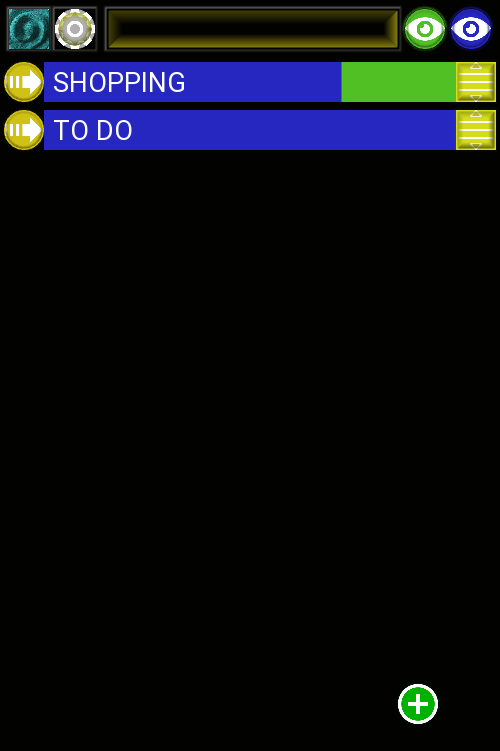
Fig. 1 kivy lisz app root list |
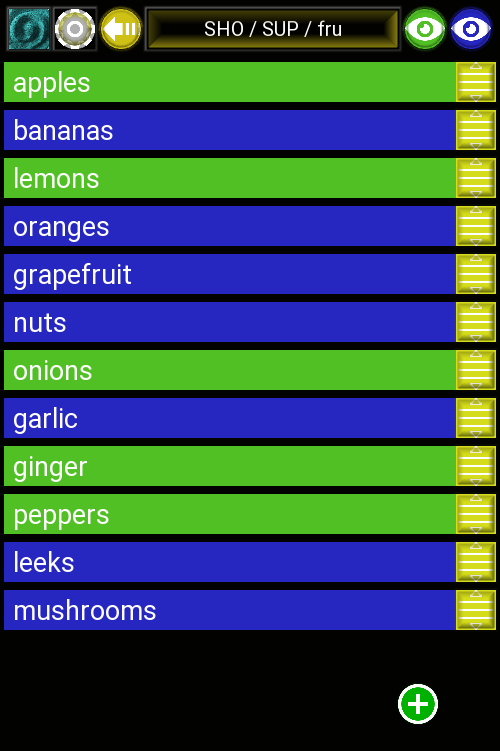
Fig. 2 fruits sub-list |
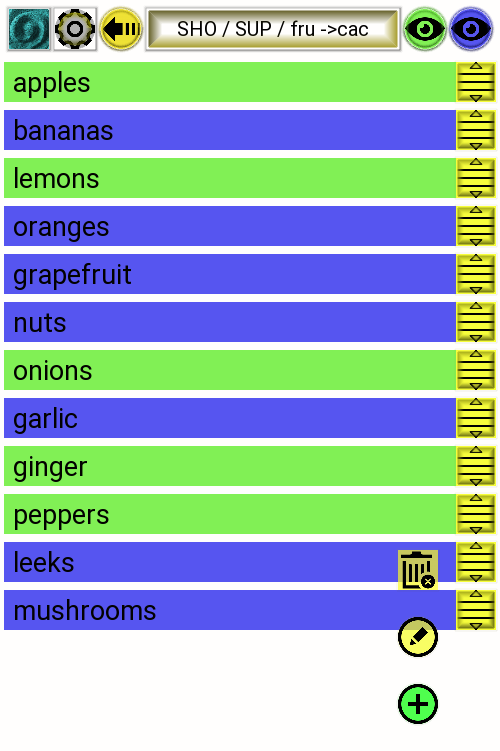
Fig. 3 using a light theme |
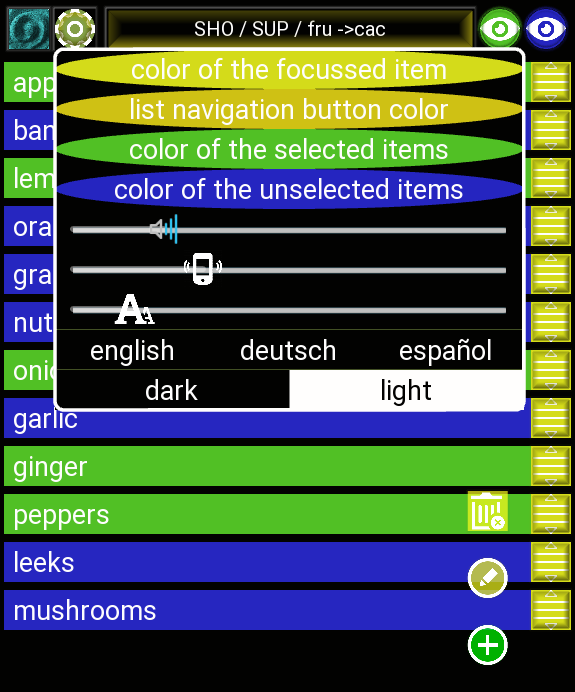
Fig. 4 lisz user preferences |
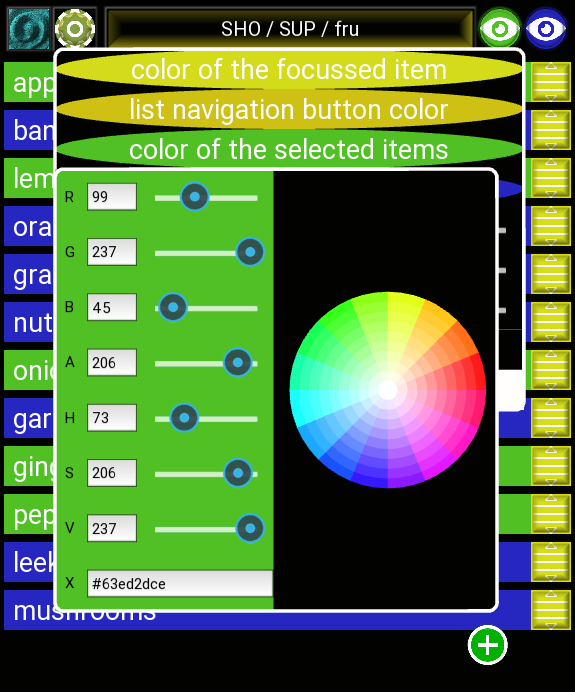
Fig. 5 kivy lisz color editor |
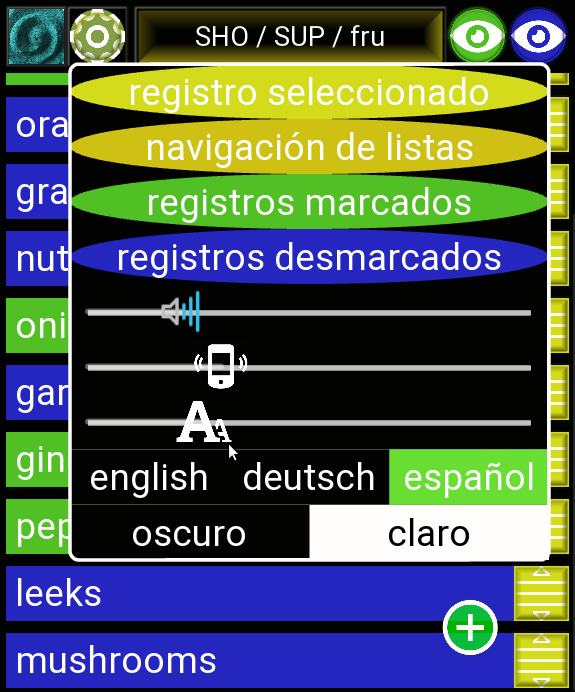
Fig. 6 bigger font size |
kivy wish list
kv language looper pseudo widget (like enaml is providing) to easily generate sets of similar widgets.
enaml
the enaml lisz demo app is based on the enaml framework, a pypi package documented here at ReadTheDocs.
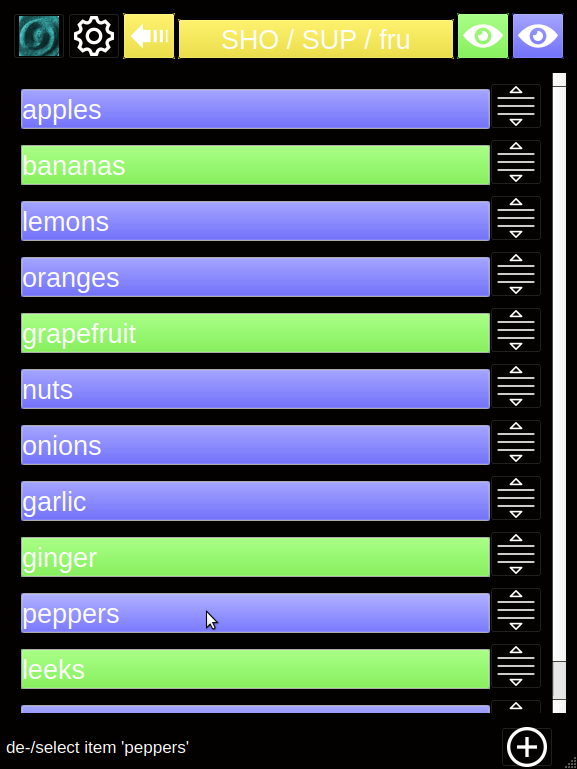
Fig. 7 enaml/qt lisz app |
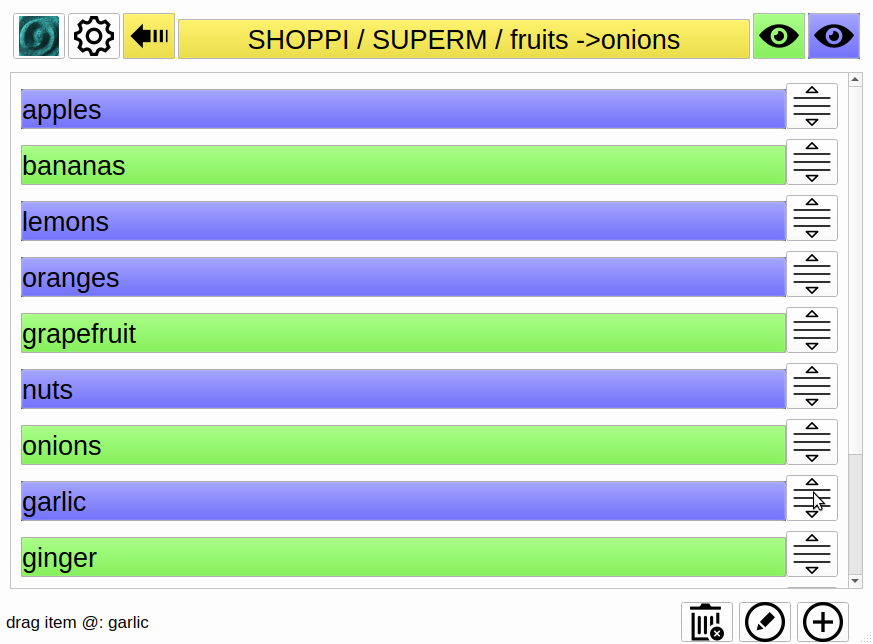
Fig. 8 light-themed in landscape |
automatic update of widget attributes
dependencies have to be executed/read_from, so e.g., the icon attribute will not be updated if app.app_state_light_theme gets changed:
icon << main_app.cached_icon('font_size') or app.app_state_light_theme
on the contrary, the icon will be updated by the following two statements:
icon << main_app.cached_icon('font_size') if app.app_state_light_theme else main_app.cached_icon('font_size')
icon << app.app_state_light_theme == None or main_app.cached_icon('font_size')
the KeyEvent implementation is based on this SO answer posted by the enamlx author frmdstryr/Jairus Martin: https://stackoverflow.com/questions/20380940/how-to-get-key-events-when-using-enaml. alternative and more complete implementation can be found in the enamlx package (https://github.com/frmdstryr/enamlx).
enaml wish list
type and syntax checking, code highlighting and debugging of enaml files within PyCharm.
fix freezing of linux/Ubuntu system in debugging of opening/opened PopupViews in PyCharm.
Module Attributes
pseudo item id needed for flow path jumper and for drop onto the leave item button |
|
flow path separator for |
|
flow key prefix shown for any focused item |
|
invalid initial chars in item id (to detect id | literal in a flow key) |
|
file name prefix for node imports/exports |
|
file extension for node imports/exports |
|
maximum file length of an importable node file |
|
maximum number of items to import or paste from clipboard |
|
node item data (nid) type |
|
node/list type |
|
oaio user access rights changes type. |
Functions
|
check if the passed item id string is valid. |
|
strip and replace extra/invalid characters from the passed item id string. |
parse and interpret text block for (optional) flow path text and node data (in pprint.pformat/repr format). |
|
|
return the translated button text/caption for to quickly import an item/node from a clipboard/file/oaio source. |
|
callable to filter selected LiszItems. |
|
callable to filter unselected LiszItems. |
|
determine the selection factor of the specified node from the selected children/leaf items. |
|
determine the number of selectable and total leaf items, of the node argument and their sub-nodes. |
Classes
item editor mixin bundling the user access to an oaio item. |
|
lisz data model - independent of the used GUI framework. |
- FLOW_PATH_ROOT_ID = '^^^^'
pseudo item id needed for flow path jumper and for drop onto the leave item button
- FLOW_PATH_TEXT_SEP = ' > '
flow path separator for
flow_path_text()
- FOCUS_FLOW_PREFIX = '='
flow key prefix shown for any focused item
- INVALID_ITEM_ID_PREFIX_CHARS = '[{'
invalid initial chars in item id (to detect id | literal in a flow key)
- NODE_FILE_PREFIX = 'node_'
file name prefix for node imports/exports
- NODE_FILE_EXT = '.txt'
file extension for node imports/exports
- IMPORT_NODE_MAX_FILE_LEN = 8192
maximum file length of an importable node file
- IMPORT_NODE_MAX_ITEMS = 12
maximum number of items to import or paste from clipboard
- UserAccessRightsChangesType
oaio user access rights changes type.
- correct_item_id(item_id)[source]
strip and replace extra/invalid characters from the passed item id string.
- flow_path_items_from_text(text)[source]
parse and interpret text block for (optional) flow path text and node data (in pprint.pformat/repr format).
- Parameters:
text block to be parsed. the text block can optionally be prefixed with an extra line, separated by a new line \n character, containing the destination flow path in text format (using FLOW_PATH_TEXT_SEP to separate the flow path items).
the (rest of the) text block represents the node/item data in one of the following formats:
single text line (interpreted as a single leaf item).
multiple text lines (interpreted as multiple leaf items).
dict repr string, starting with a curly bracket character.
list repr string, starting with a square bracket character.
- Return type:
- Returns:
tuple of error message (empty string if no error occurred), flow path (empty string if root or not given) and node list.
- item_import_button_text(item, source)[source]
return the translated button text/caption for to quickly import an item/node from a clipboard/file/oaio source.
- node_sel_factor(node)[source]
determine the selection factor of the specified node from the selected children/leaf items.
- selectable_and_total_sub_items(node, selected=0, total=0)[source]
determine the number of selectable and total leaf items, of the node argument and their sub-nodes.
- Parameters:
- Return type:
- Returns:
tuple of selectable and total leaf items. dividing [0] by [1] results in a value between 0.0 and 1.0 reflecting the relation between selected and unselected leaves.
- class EditorOaioMixin[source]
Bases:
objectitem editor mixin bundling the user access to an oaio item.
- main_app: LiszDataMixin
reference to the main app instance, set by the item editor
- init_oaio_vars()[source]
called from GUI-specific ItemEditor.__init__() of the main app to initialize the oaio related variables.
- property oaio_is_registered: bool
determine if the current oaio is or will be registered when the editor gets closed.
- property user_can_unregister: bool
determine if the authenticated user can unregister the current oaio (specified via self.oaio_id).
- property user_is_creator: bool
determine if the current app user is or will be the creator of the actual oaio.
- property userz_access_changes: list[tuple[str, str, str]]
determine changes of userz access rights.
- Returns:
list of tuples with the username, the old and the new access right, in the order they have to be changed/sent-to-server; e.g., to unregister an oaio the subscribers before the creator (in reversed by the access right). returns an empty list on any error or if the client or the oaio server is not online.
- Raises:
AssertionError – if internal data structures got corrupted (user-count or -index discrepancies between self._userz_acc and self._set_userz_acc).
- property userz_access_rights: list[dict[str, str]]
determine the userz and their access rights for the item specified via self.item_id/.oaio_id.
- Returns:
list of dicts with ‘username’ and ‘access_right’ keys or an empty list if the client/server is offline or if an error occurred.
- class LiszDataMixin[source]
Bases:
objectlisz data model - independent of the used GUI framework.
- oaio_client: OaioClient | None = None
optional oaio server client (if OAIO_HOST_NAME is set)
- oaio_refs: dict[str, list[dict[str, Any]]] = {}
shared oaios: key=oaio id, val=item refs in root_node tree
- user_id: str
user_idfromae.console
- _refreshing_data: bool = False
DEBUG True while running
refresh_all()method
- add_item(nid, node_to_add_to=None, new_item_index=0)[source]
add an item (leaf or node) to the currently displayed node.
- Parameters:
- Return type:
- Returns:
error message if any error happened, else empty string.
- add_items(items, node_to_add_to=None)[source]
add item to the currently displayed node.
- Parameters:
- Return type:
- Returns:
error message if any error happened (multiple error messages are separated by \n), else empty string.
- change_item_sel(item, value)[source]
changes the selected state of a given item to the provided value and sync it if it is a registered oaio.
- change_sub_node_sel(node, set_sel_to)[source]
change the selection of the passed node’s sub-leaves to the specified value.
- current_item_or_node_literal()[source]
return the currently focused/displayed item or node as repr string.
- Return type:
- Returns:
pformat repr string of the currently focused item id/node or of the displayed node.
- delete_items(*item_ids, parent_node=None, node_only=False)[source]
delete either complete items or sub node of the items (identified by the passed item ids).
- Parameters:
item_ids¶ (
str) – tuple of item ids to identify the items/sub-nodes to be deleted.parent_node¶ (
list[dict[str,Any]] |None) – node from where the item has to be removed from (default=current node).node_only¶ (
bool) – pass True if only delete the sub-node of the identified item, False to delete the item.
- Return type:
- edit_validate(old_item_index, new_id=None, want_node=None, parent_node=None, new_item_index=0, editor=None, oaio_id=None)[source]
validate and save the user changes after adding/importing a new item or editing an existing item.
- Parameters:
old_item_index¶ (
int) – index in the current node of the edited item or -1 if a new item (to be added).new_id¶ (
str|None) – new/edited id string. passing an empty string for an existing item will delete it.want_node¶ (
bool|None) – pass True if the new/edited item wants to have a sub-node, False if not.parent_node¶ (
list[dict[str,Any]] |None) – node where the edited/added item has to be updated/inserted (default=current list).new_item_index¶ (
int) – index where the new item has to be inserted (default=0, ignored in edit item mode).editor¶ (
Any) – ItemEditor popup instance (if called from it) with its old/new user access rights.oaio_id¶ (
str|None) – new oaio id for import called from on_node_import()/import_items(); default: None.
- Return type:
- Returns:
returns an empty string on successful edit validation or on cancellation of a new item (with empty id string). returns ‘request_delete_confirmation_for_item’ if the user has to confirm the deletion after the user wiped the item id string. returns ‘request_delete_confirmation_for_node’ if the user has to confirm the removal of the sub-node. in all other cases it returns an error string.
- export_node(flow_path, file_path='.', node=None)[source]
export node specified by the passed
flow_pathargument.- Parameters:
- Return type:
- Returns:
empty string if the node got exported without errors, else the error/exception message.
- find_item_index(item_id, searched_node=None)[source]
determine the list index of the passed item id in the searched node or in the current node.
- flow_key_text(flow_id, landscape)[source]
determine the shortest possible text fragment of the passed flow key that is unique in the current node.
used to display unique part of the key of the focused item/node.
- Parameters:
flow_id¶ (
str) – flow id to get the flow key to check from (pass the observed value to update GUI automatically, either self.app_state_flow_id or self.app_states[‘flow_id’]).landscape¶ (
bool) – boolean True if the window has the landscape shape (resulting in a larger abbreviation). pass the observed attribute, mostly situated in the framework_win (e.g., self.framework_win.landscape).
- Return type:
- Returns:
display text containing a flow key.
- flow_path_from_text(text, skip_check=False)[source]
restore the full complete flow path from the shortened flow keys generated by
flow_path_text().
- flow_path_node(flow_path=None, create=False)[source]
determine the node specified by the passed flow path, optionally create missing nodes of the flow path.
- Parameters:
- Return type:
- Returns:
node list at flow_path (if found -or- created is True and no-creation-errors) or empty list (if flow_path not found and created is False or on creation error).
- flow_path_quick_jump_nodes()[source]
determine the current flow paths of all nodes excluding the current, to quick-jump from the current node.
- flow_path_text(flow_path, min_len=3, display_root=False, separator=' > ')[source]
generate shortened display text from the passed flow path.
- Parameters:
- Return type:
- Returns:
shortened display text string of the passed flow path (which can be converted back to a flow path list with the method
flow_path_from_text()).
- focus_neighbour_item(delta)[source]
move flow id to the previous/next displayed/filtered node item.
- importable_files_nodes(folder_path)[source]
check all files found in the specified folder_path and load and return them as a LiszNode structure.
- Parameters:
folder_path¶ (
str) – path to the folder where the importable files are situated.- Return type:
- Returns:
list of item/sub-node dicts for each found and importable file. if the file content is inappropriate or if an error occurred, then the item dict has an item key ‘_err_’ with the respective error-message in its value.
- importable_oaios_node()[source]
check subscribed oaio and load and return them as a LiszNode structure.
- importable_text_node(text)[source]
check text block content and if contains a valid importable item, then return it as a LiszNode structure.
- Text:
text block content to check and convert to a node list (e.g., from clipboard).
- Return type:
- Returns:
importable items parsed from the specified text directly as items and as node or list of a dict with the key ‘_err_’ and the respective error-message as the value if text block content is empty/invalid.
- static import_file_item(file_path)[source]
load a node file and determine the importable item(s).
- Parameters:
- Return type:
- Returns:
the item with the id created from the file name and a node with subitems. if the file content is inappropriate or if an import error occurred, then the returned dict has only the key ‘_err_’ with the error-message as its value.
- import_items(node, parent=None, item_index=0)[source]
import passed node items into the passed parent/destination node at the given index.
- Parameters:
- Return type:
- Returns:
empty string if all items of the node got imported correctly, else error message string.
- import_node(node_id, node, parent=None, item_index=0)[source]
import passed node as new node into the passed parent node at the given index.
- Parameters:
- Return type:
- Returns:
empty string if the node got added/imported correctly, else error message string.
- item_by_id(item_id, searched_node=None)[source]
search item in either the passed or the current node.
- load_app_states()[source]
overriding
ae.gui.app.MainAppBase.load_app_states()to populate or actualize self.oaio_refs
- move_item(dragged_node, dragged_id, dropped_path=None, dropped_id='')[source]
move item id from passed dragged_node to the node and index specified by dropped_path and dropped_id.
- Parameters:
dragged_node¶ (
list[dict[str,Any]]) – node where the item got dragged/moved from.dropped_path¶ (
list[str] |None) – optional destination/drop node path, if not passed, then use dragged_node.dropped_id¶ (
str) – optional destination item where the dragged item will be moved before it. if not specified or an empty string got passed, then the item will be placed at the end of the destination node.
- Return type:
- node_info(node, what=(), recursive=True)[source]
determine statistics info for the node specified by
node.- Parameters:
pass a tuple of statistic info fields to include only these in the returned dict (passing an empty tuple or nothing will include all the following fields):
’count’: number of items (nodes and leaves) in this node (including sub-nodes).
’leaf_count’: number of sub-leaves.
’node_count’: number of sub-nodes.
’selected_leaf_count’: number of selected sub-leaves.
’unselected_leaf_count’: number of unselected sub-leaves.
’names’: list of all sub-item/-node names/ids.
’leaf_names’: list of all sub-leaf names.
’selected_leaf_names’: list of all selected sub-leaf names.
’unselected_leaf_names’: list of all unselected sub-leaf names.
recursive¶ (
bool) – pass False if only the passed node has to be investigated.
- Return type:
- Returns:
dict with the node info specified by the
whatargument.
- on_app_state_root_node_save(root_node)[source]
shrink root_node app state variable before it get saved to the config file.
- on_filter_toggle(toggle_attr, _event_kwargs)[source]
toggle filter on click of either the selected or the unselected filter button.
note that the inverted filter may be toggled to prevent both filters being active.
- on_item_sel_change(item_id, event_kwargs)[source]
toggle, set or reset in the current node the selection of a leaf item or of the sub-leaves of a node item.
- Parameters:
- Return type:
- Returns:
always True to process/change flow id.
this flow change event can be used alternatively to
on_item_sel_toggle()for more sophisticated lisz app implementations, like e.g., the kivy lisz demo app .
- on_item_sel_confirming(item_id, event_kwargs)
confirming sub-list item de-/selection from ItemSelConfirmPopup
- Return type:
- on_key_press(modifiers, key_code)[source]
check key press event to be handled and processed as command/action in the current list.
- on_node_extract(flow_path_text, event_kwargs)[source]
extract the leaves of the node specified by flow_path_text.
- Parameters:
flow_path_text¶ (
str) – flow path text or list literal (identifying the start node to extract from).extra arguments specifying extract options (only extract_type is mandatory):
extract_type specifies extract destination and an optional filter on un-/selected items. the first part defines the extract action (copy/cut/delete/export/share) and an optional second part (separated by an underscore) the filter. e.g., the following string values can be passed for a ‘copy’ extract action:
’copy’ is copying all items of the specified node to the clipboard.
’copy_sel’ is copying only the selected items of the node to the clipboard.
’copy_unsel’ is copying only the unselected items to the clipboard.
recursive specifies if False that the extraction affects only the leaves of the current node specified by flow_path_text and if True the extraction affects also the leaves of the sub-nodes (default=True).
export_path specifies the destination folder of the export action (default=’.’/CWD).
- Return type:
- Returns:
always True to process/change flow.
- on_node_jump(flow_path_text, event_kwargs)[source]
FlowButton clicked event handler restoring the flow path from the flow key.
- on_user_access_change(_flo_key, event_kwargs)[source]
change oaio access right for item and user, called from the UserAccessRightPopup menu within the ItemEditor.
- Parameters:
- Returns:
a True value if no error occurred (to allow flow change), else False.
- Raises:
AssertionError – if the specified event_kwargs are invalid.
- refresh_all()[source]
changed flow event handler refreshing currently displayed items after changing the node/flow path.
- refresh_current_node_items_from_flow_path()[source]
refresh current node including the depending on the display node.
- shrink_node_size(node, item_filter=None, recursive=True)[source]
shrink node size by removing unneeded items and sel keys, e.g., to export/save space in the config file.
- Parameters:
node¶ (
list[dict[str,Any]]) – start or root node to shrink (in-place!).item_filter¶ (
Callable[[dict[str,Any]],bool] |None) – pass callable to remove items from the passed node and its sub-nodes. the callable is getting each item as an argument and has to return True to remove it from its node.recursive¶ (
bool) – pass False if only the passed start node has to be shrunk.
- sub_item_ids(node=None, item_ids=(), leaves_only=True, hide_sel_val=None, recursive=True, sub_ids=None)[source]
return a list of item names/ids (if exists and recursive==True then including their sub-node items).
used to determine the affected item ids if the user wants to delete or de-/select the subitems of the item(s) specified by the passed arguments.
- Parameters:
node¶ (
list[dict[str,Any]] |None) – searched node. if not passed, then use the current node as default.item_ids¶ (
tuple[str,...]) – optional item id filter, if passed, then only return items with an id in this tuple. this filter will not be used for sub-node filtering (if recursive==True).leaves_only¶ (
bool) – pass False to also include/return node item ids.hide_sel_val¶ (
bool|None) – pass False/True to exclude un-/selected leaf items from the returned list of ids. if None or not passed, then all found items will be included.recursive¶ (
bool) – pass False if only the passed start node has to be investigated/included.sub_ids¶ (
list[str] |None) – already found subitem ids (used for the recursive calls of this method).
- Return type:
- Returns:
ids list of the found items.